- July 22, 2026
- Deva Selvan
- 2:37 pm
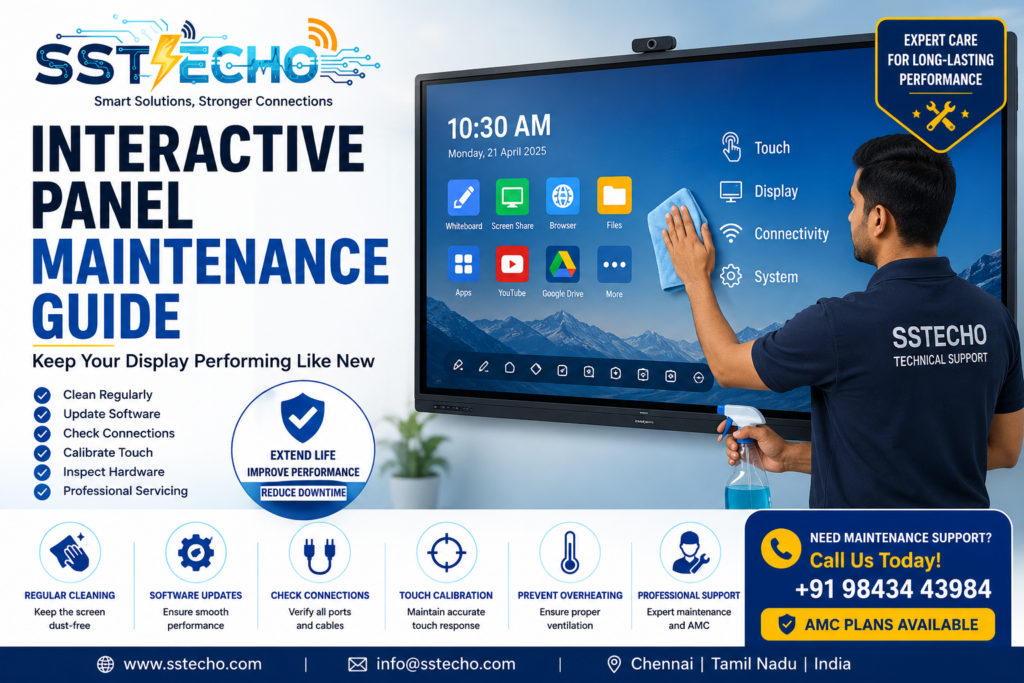
Interactive Panels have become an essential technology for schools, colleges, corporate offices, training centers, and conference rooms. These smart displays are designed for daily collaboration, presentations, teaching, and video conferencing. Like any advanced electronic equipment, regular maintenance is crucial to ensure optimal performance, extend its lifespan, and minimize unexpected downtime.
A well-maintained Interactive Panel delivers better touch responsiveness, crystal-clear visuals, and reliable performance for years. Whether your organization uses the panel for education or business, following proper maintenance practices helps protect your investment.
At SS TECHO, we provide professional Interactive Panel installation, maintenance, warranty support, and Annual Maintenance Contracts (AMC) across Chennai. Explore our Interactive Panels in Chennai to learn more.
Why Interactive Panel Maintenance is Important
An Interactive Panel is used daily for presentations, teaching sessions, brainstorming, and collaboration. Without regular care, dust, fingerprints, software issues, and improper handling can affect its performance.
Proper maintenance helps:
- Extend the panel’s lifespan
- Maintain excellent touch accuracy
- Improve display clarity
- Prevent hardware failures
- Reduce maintenance costs
- Minimize downtime
- Ensure a professional user experience
Regular maintenance also helps organizations avoid expensive repairs and unexpected disruptions.
Daily Interactive Panel Maintenance Tips
Simple daily practices can keep your Interactive Panel in excellent condition.
Clean the Screen Carefully
The screen should be cleaned at the end of each working day.
Use:
- Soft microfiber cloth
- Screen-safe cleaning solution
- Dry lint-free cloth
Avoid:
- Paper towels
- Rough cloth
- Chemical cleaners
- Alcohol-based sprays directly on the screen
Always spray the cleaning solution onto the microfiber cloth instead of spraying directly onto the display.
Remove Fingerprints Regularly
Interactive Panels are touch-enabled devices, making fingerprints inevitable.
Cleaning fingerprints daily improves:
- Display quality
- Touch sensitivity
- Professional appearance
Keep the Surface Dust-Free
Dust accumulation around the display, camera, speakers, and ventilation areas can reduce performance over time.
Use a soft brush or compressed air to gently clean the vents and edges.
Weekly Maintenance Checklist
Every week, perform a more detailed inspection.
Inspect Touch Performance
Check whether:
- All touch points respond accurately
- Multi-touch gestures work correctly
- Stylus functions properly
If calibration issues appear, perform touch calibration through the panel settings.
Check All Ports
Inspect:
- HDMI
- USB
- USB-C
- LAN
- Audio ports
Ensure connectors are clean and cables are securely connected.
Verify Wireless Connectivity
Test:
- Wi-Fi
- Bluetooth
- Wireless Screen Sharing
- Internet connectivity
Reliable connectivity is essential for smooth collaboration and presentations.
Clean the Camera and Microphone
If your Interactive Panel is used for video conferencing, clean the built-in or external camera lens and microphone regularly to maintain image and audio quality.
For collaboration features, visit our Interactive Panels for Video Conferencing .
Monthly Maintenance Checklist
A monthly inspection helps identify potential issues before they become major problems.
Update the Operating System
Manufacturers frequently release updates that improve:
- Security
- Stability
- Performance
- Compatibility
Always install software updates from official sources.
Update Applications
Keep frequently used applications updated, including:
- Whiteboard software
- Video conferencing apps
- Screen sharing tools
- Collaboration software
Updated applications reduce compatibility issues and improve user experience.
Review Storage Space
Delete unnecessary files and applications to maintain smooth performance.
Excessive storage usage can slow the Android operating system.
Test Audio Performance
Verify:
- Speaker quality
- Microphone clarity
- External audio devices
Address audio issues before important meetings or classes.
Best Practices for Screen Care
The display is the most valuable component of an Interactive Panel.
Avoid Sharp Objects
Never use:
- Pens
- Pencils
- Metal objects
- Sharp styluses
Only use compatible styluses or your fingers.
Prevent Excessive Pressure
Interactive Panels require only gentle touch input.
Applying unnecessary force may damage the touch sensor.
Avoid Direct Sunlight
Continuous exposure to direct sunlight may:
- Increase internal temperature
- Affect display brightness
- Reduce component lifespan
Install the panel away from direct sunlight whenever possible.
Maintain Proper Ventilation
Interactive Panels generate heat during operation.
Ensure:
- Ventilation openings remain unobstructed
- Adequate wall clearance
- Proper airflow around the unit
Power Management Tips
Proper power usage protects electronic components.
Use a Surge Protector
Voltage fluctuations can damage internal hardware.
Installing a quality surge protector helps protect your investment.
Shut Down Properly
Avoid switching off the main power supply without first shutting down the operating system.
Proper shutdown reduces software corruption.
Turn Off When Not in Use
Switch off the panel after office or school hours to:
- Save electricity
- Reduce heat generation
- Extend component lifespan
Common Maintenance Mistakes to Avoid
Many maintenance issues result from improper handling.
Avoid:
- Using harsh chemicals
- Cleaning with wet cloths
- Blocking ventilation
- Pulling cables forcefully
- Installing unauthorized software
- Ignoring firmware updates
- Moving wall-mounted panels without professional assistance
Interactive Panel Maintenance for Schools
Schools use Interactive Panels continuously throughout the day.
Recommended practices include:
- Daily screen cleaning
- Weekly touch testing
- Monthly software updates
- Teacher training on proper usage
Schools can also explore our Best Interactive Panels for Schools guide.
Maintenance for Corporate Offices
Business environments require reliable performance for meetings and presentations.
Maintain:
- Conference room connectivity
- Video conferencing equipment
- Screen sharing functionality
- Meeting software updates
Learn more about our Interactive Panels for Corporate Offices.
When Should You Call Professional Support?
Some issues require expert assistance.
Contact professionals if you notice:
- Unresponsive touch screen
- Display flickering
- Dead pixels
- Audio failure
- Camera malfunction
- HDMI or USB ports not working
- Software crashes
- Overheating
- Physical damage
Professional servicing prevents further damage and restores optimal performance.
Benefits of an Annual Maintenance Contract (AMC)
An AMC helps organizations keep Interactive Panels operating efficiently throughout the year.
Benefits include:
- Scheduled preventive maintenance
- Software and firmware updates
- Hardware inspections
- Priority technical support
- Reduced downtime
- Cost-effective servicing
- Extended equipment life
SS TECHO offers AMC plans tailored to schools, colleges, businesses, and government organizations.
Why Choose SS TECHO?
SS TECHO provides complete Interactive Panel lifecycle support across Chennai.
Our services include:
- Expert consultation
- Professional installation
- Preventive maintenance
- Software updates
- Troubleshooting
- Spare parts support
- Warranty assistance
- Annual Maintenance Contracts
- User training
We ensure your Interactive Panels continue delivering exceptional performance for years.
Frequently Asked Questions ?
How often should an Interactive Panel be cleaned?
The screen should be cleaned daily using a microfiber cloth, while a detailed inspection is recommended weekly.
Can I use glass cleaner on an Interactive Panel?
No. Standard glass cleaners may damage the screen coating. Use only display-safe cleaning solutions.
How often should software be updated?
Check for firmware and application updates at least once a month or whenever the manufacturer releases new versions.
Why is my Interactive Panel touch not working properly?
Common causes include dirt on the screen, calibration issues, outdated software, or hardware faults. If basic troubleshooting doesn’t resolve the issue, contact a professional technician.
Does SS TECHO provide Interactive Panel maintenance services?
Yes. SS TECHO offers preventive maintenance, repairs, warranty support, firmware updates, and AMC services for Interactive Panels across Chennai.
Contact SS TECHO
Keep Your Interactive Panel Performing at Its Best
Regular maintenance is the key to maximizing the performance, reliability, and lifespan of your Interactive Panel. Simple daily cleaning, periodic software updates, proper power management, and professional servicing can prevent costly repairs and ensure uninterrupted collaboration.
Whether your Interactive Panel is used in a classroom, boardroom, training center, or conference room, SS TECHO provides expert installation, maintenance, technical support, and AMC services to keep your investment operating at its best.
Contact SS TECHO today for professional Interactive Panel maintenance services and long-term support in Chennai.