- July 18, 2026
- Deva Selvan
- 4:56 pm
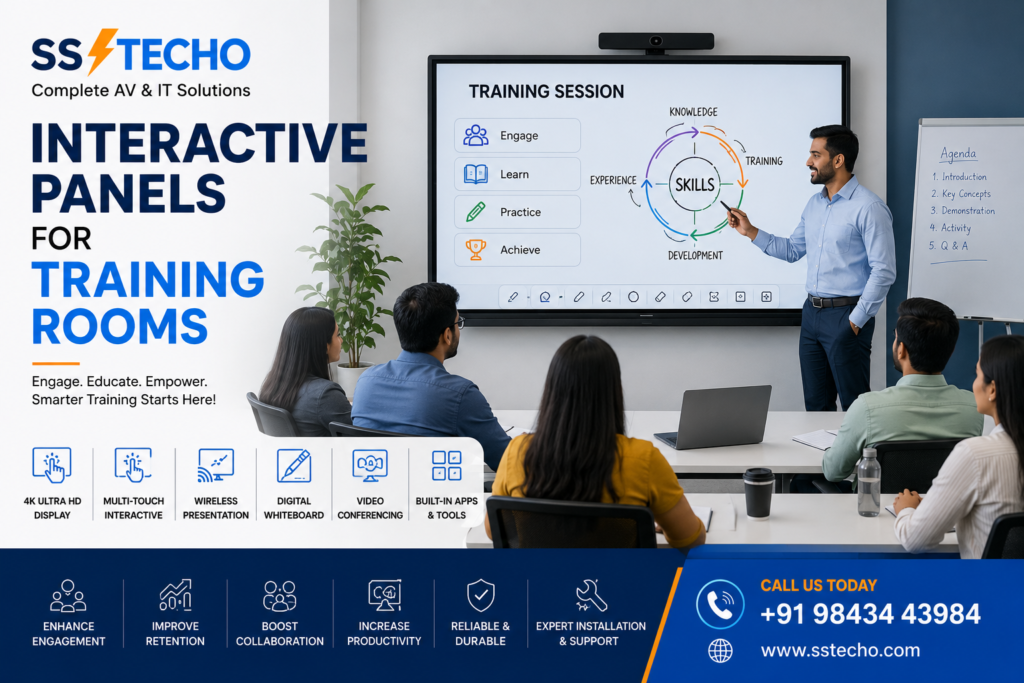
Training has become an essential part of every organization, educational institution, and coaching centre. Whether it’s employee onboarding, technical workshops, skill development, software training, or professional certification programs, having the right technology significantly improves the learning experience. Interactive Panels for Training Rooms provide a modern and engaging solution that combines a 4K display, multi-touch functionality, wireless screen sharing, digital whiteboard, and video conferencing capabilities into one smart device.
At SS TECHO, we provide complete Interactive Panel solutions for training rooms across Chennai, including consultation, product supply, professional installation, configuration, user training, warranty support, and Annual Maintenance Contracts (AMC).
If you’re planning to upgrade your learning environment, explore our Interactive Panels in Chennai solutions.
Why Training Rooms Need Interactive Panels
Traditional training rooms often depend on projectors, whiteboards, printed materials, and multiple presentation devices. These setups can interrupt training sessions and limit interaction between trainers and participants.
Interactive Panels simplify the learning experience by combining presentation, annotation, collaboration, and content sharing into one powerful display.
They are ideal for:
- Corporate Training
- Employee Onboarding
- Technical Workshops
- Product Demonstrations
- Software Training
- Certification Programs
- Coaching Classes
- Skill Development Courses
Benefits of Interactive Panels for Training Rooms
Interactive Learning Experience
Interactive Panels encourage participation by allowing trainers and learners to interact directly with the screen.
Participants can:
- Write notes
- Highlight content
- Solve problems
- Draw diagrams
- Collaborate during discussions
This creates a more engaging and effective training environment.
Crystal Clear 4K Display
A high-resolution 4K display ensures that presentations, spreadsheets, videos, diagrams, and training materials remain visible even in larger training rooms.
Clear visuals help improve concentration and understanding.
Digital Whiteboard
Interactive Panels replace conventional whiteboards with digital collaboration tools.
Trainers can:
- Write notes
- Draw flowcharts
- Create mind maps
- Annotate presentations
- Save training sessions
- Share notes instantly
Wireless Screen Sharing
Compatible laptops, tablets, and smartphones can share content wirelessly.
Multiple trainers and participants can switch presentations without repeatedly connecting HDMI cables.
Hybrid Training Support
Many organizations now conduct hybrid training programs for both in-person and remote participants.
Interactive Panels can integrate with:
- USB Cameras
- PTZ Cameras
- Microphones
- Speakerphones
- Conference Audio Systems
This makes remote learning smooth and interactive.
Interactive Panels for Corporate Training Rooms
Businesses regularly conduct:
- Employee Induction
- HR Training
- Product Training
- Sales Workshops
- Compliance Sessions
- Leadership Programs
Interactive Panels improve these sessions by allowing trainers to annotate presentations, share multimedia content, and encourage real-time participation.
Interactive Panels for IT Training Institutes
Software and technical training require detailed demonstrations.
Interactive Panels help trainers explain:
- Programming Languages
- Software Development
- Cloud Computing
- Networking
- Cybersecurity
- Database Management
- Artificial Intelligence
- Data Analytics
Students can easily follow code demonstrations and practical examples on a large interactive display.
Interactive Panels for Coaching Centres
Coaching institutes can use Interactive Panels to create an engaging classroom experience.
Applications include:
- Competitive Exam Coaching
- Government Exam Preparation
- Language Training
- Professional Certification
- Online Coaching
- Hybrid Learning
Interactive features help instructors explain concepts more effectively while keeping students engaged.
Interactive Panels for Skill Development Centres
Skill development centres conduct practical and theoretical training across various industries.
Interactive Panels are suitable for:
- Vocational Training
- Industrial Skills
- Government Projects
- Technical Education
- Healthcare Training
- Hospitality Training
- Retail Training
Digital learning tools make sessions more interactive and improve participant involvement.
Video Conferencing Integration
Interactive Panels can support online training by integrating with compatible conferencing systems.
Common platforms include:
- Microsoft Teams
- Zoom
- Google Meet
- Cisco Webex
With the addition of compatible cameras and microphones, trainers can conduct hybrid sessions involving participants from multiple locations.
Wireless Collaboration Features
Interactive Panels simplify group activities and collaborative learning.
Participants can:
- Share Laptop Screens
- Display Mobile Content
- Present Documents
- Annotate Files
- Browse Websites
- Play Videos
- Review Reports
- Collaborate in Real Time
These features improve communication and reduce setup time.
Choosing the Right Interactive Panel Size
Selecting the correct display size depends on room dimensions and the number of participants.
65-inch Interactive Panel
Suitable for:
- Small Training Rooms
- Coaching Centres
- Meeting-Based Training
75-inch Interactive Panel
Recommended for:
- Medium Training Rooms
- Corporate Learning Centres
- Technical Workshops
86-inch Interactive Panel
Ideal for:
- Large Training Halls
- Seminar Rooms
- Corporate Learning Facilities
- Skill Development Centres
Choosing the appropriate size ensures excellent visibility for every participant.
Professional Installation Matters
A professionally installed Interactive Panel provides better performance, safety, and long-term reliability.
SS TECHO offers complete Interactive Panel Installation in Chennai , including:
- Wall Mount Installation
- Mobile Stand Installation
- Cable Management
- Software Configuration
- Network Setup
- Touch Calibration
- User Training
- Site Survey
Factors to Consider Before Buying
Before purchasing an Interactive Panel, consider:
- Training Room Size
- Number of Participants
- Screen Resolution
- Multi-Touch Capability
- Android Operating System
- Windows OPS Support
- USB Type-C Connectivity
- Wireless Screen Sharing
- Built-in Speakers
- Warranty
- AMC Support
For expert guidance, read our Interactive Panel Buying Guide.
Understanding the Investment
The overall investment depends on:
- Screen Size
- Hardware Configuration
- OPS Computer
- Accessories
- Installation
- Audio Equipment
- Video Conferencing Devices
- Warranty
To understand the factors that influence pricing, visit our Interactive Panel Price in Chennai guide.
Why Choose SS TECHO?
SS TECHO delivers complete Interactive Panel solutions for training rooms across Chennai.
Our services include:
- Consultation
- Site Survey
- Product Recommendation
- Professional Installation
- Wireless Presentation Setup
- Video Conferencing Integration
- User Training
- Warranty Support
- AMC Services
- Technical Assistance
We customize every solution according to your training requirements, room size, and organizational goals
Frequently Asked Questions ?
1. Are Interactive Panels suitable for training rooms?
Yes. Interactive Panels are ideal for corporate training centres, coaching institutes, IT training rooms, seminar halls, and skill development centres.
2. Which Interactive Panel size is best for a training room?
A 65-inch panel suits smaller rooms, while 75-inch and 86-inch models are recommended for medium and large training facilities.
3. Can Interactive Panels support online training?
Yes. They can integrate with compatible cameras, microphones, and conferencing platforms to support hybrid and remote training sessions.
4. Are Interactive Panels useful for coaching centres?
Absolutely. Interactive Panels make lessons more engaging through digital whiteboards, multimedia presentations, annotation tools, and wireless content sharing.
5. Does SS TECHO provide Interactive Panel installation in Chennai?
Yes. SS TECHO provides consultation, supply, installation, configuration, user training, warranty support, and AMC services across Chennai.
Contact SS TECHO
Need Interactive Panel Installation in Chennai?
Looking for Interactive Panels for Training Rooms in Chennai?
Whether you’re setting up a corporate training centre, IT training institute, coaching academy, or skill development facility, SS TECHO provides complete Interactive Panel solutions tailored to your requirements.
From consultation and installation to training, warranty, and AMC support, we help you create modern, engaging, and technology-enabled learning environments.
Explore our Interactive Panels for Conference Rooms solutions or visit our Interactive Panels in Chennai to find the right solution for your organization.